Web Design
Online Store Launch Checklist for Malaysia
Everything to check before launching an online store in Malaysia: payment gateway and FPX, shipping zones, SST and legal pages, products, speed, tracking.
 By Zahid Aramai

The store is built, the products are in, and everyone wants to press launch. This is the checklist I run before any WooCommerce store I build goes live in Malaysia. Half of it is technical and half of it is business and legal; both halves lose you money if skipped.
For the bigger picture of what a store build involves, start with the ecommerce website design page; this article is only the gate at the end. Every screenshot below comes from a fresh WooCommerce install, so you can find the same screens in your own store.
Payment
- Test a real transaction through every payment method with a small amount, then refund it. FPX, card, e-wallet. Check the order email, the status change and the settlement entry at the gateway.
- Confirm the gateway settles to the business bank account and know the settlement time (next day, two days, weekly).
- Decide on cash on delivery or bank transfer as fallbacks, and if you offer them, make the order confirmation clear about what happens next.
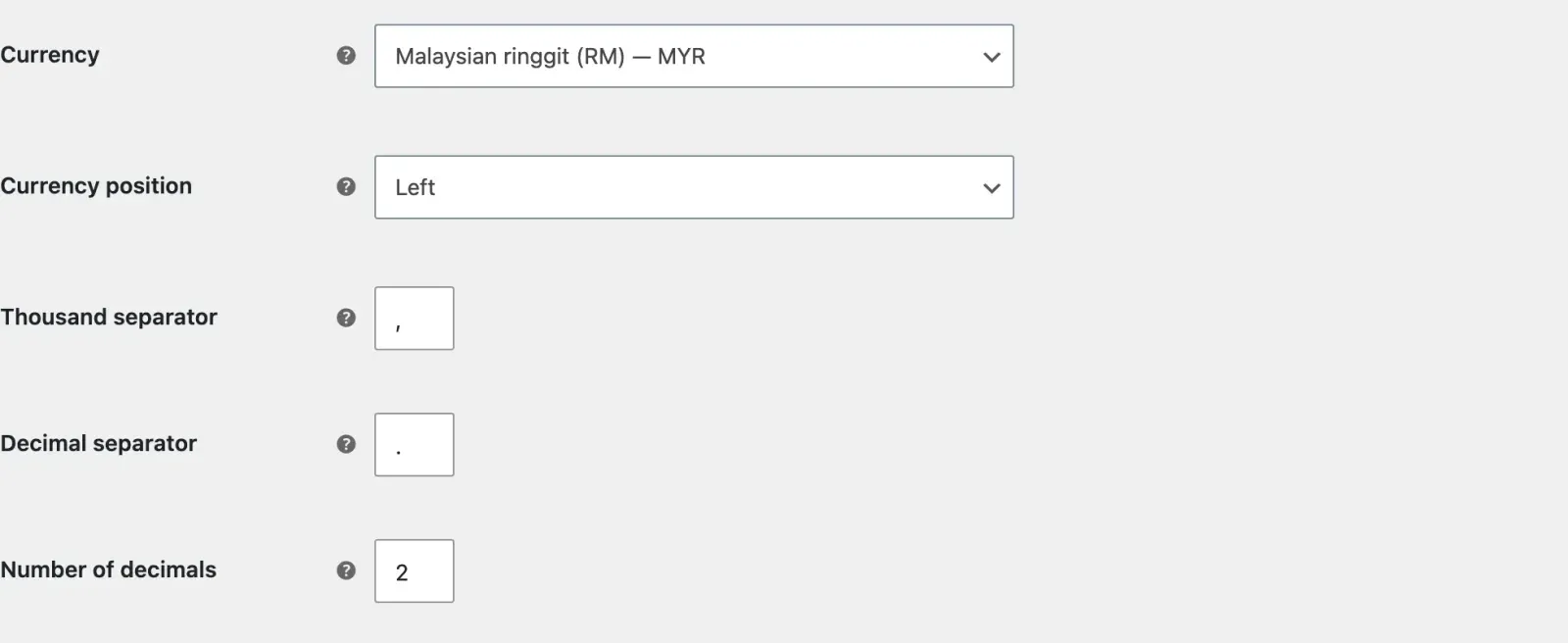
- Check the store’s currency is MYR everywhere, including emails and invoices.
Payment methods live under WooCommerce, then Settings, then Payments. A Malaysian gateway such as Billplz, toyyibPay, senangPay or iPay88 is added as a plugin and then appears in this list next to the built-in offline methods.
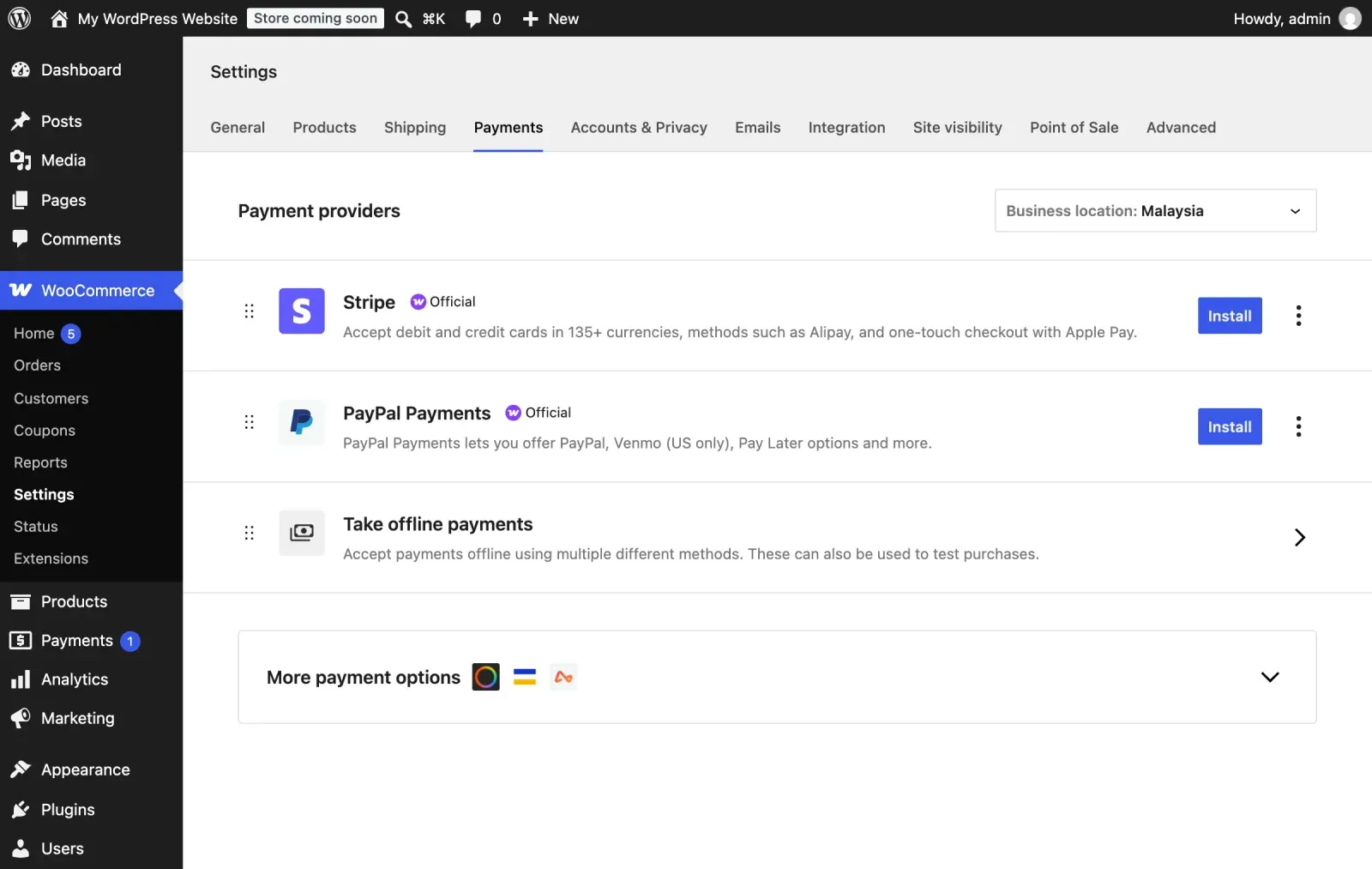
Each method reaches a different kind of customer and fails in a different way, so each one needs its own test.
| Method | Who uses it | What to test |
|---|---|---|
| FPX online banking | Local bank customers | Moves to processing alone |
| Debit or credit card | Card users, buyers abroad | Bank verification, refund |
| E-wallet | Customers paying by phone | Comes back to your site |
| Cash on delivery | Wary of paying online | Confirmation explains it |
| Bank transfer | Business buyers | Waits on hold until paid |
The currency setting is on the General tab. Check it once here and then check it again in a test order email, because a theme or an invoice plugin can print its own symbol.
How to run a proper test order
Most gateways give you a sandbox or test mode with fake bank and card details. Use it first, because it costs nothing and shows you the whole flow. Then switch the gateway to live mode and place one real order for the smallest product you sell.
Follow that order from end to end. In WooCommerce, go to the Orders screen and confirm the status moved from pending payment to processing without you touching it. If it stayed on pending, the gateway’s callback URL is not reaching your site, which is usually a security plugin or a caching rule blocking it. Fix that before launch, not after the first customer pays and gets no confirmation.
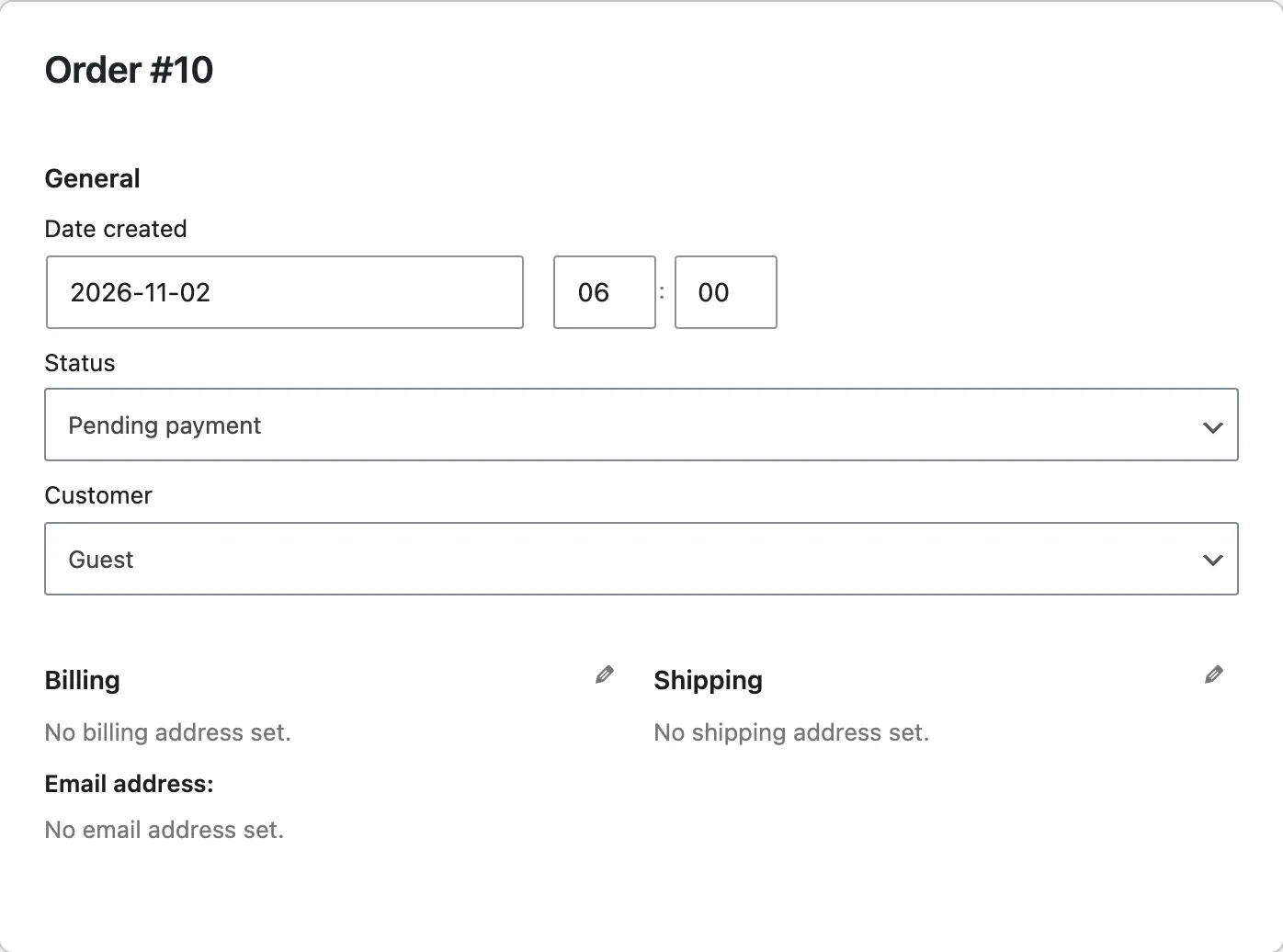
Then refund the order from the gateway dashboard or from inside WooCommerce, and check the refund arrives in the bank account.
Shipping
- Shipping zones for Peninsular Malaysia, Sabah and Sarawak, with correct rates for each. East Malaysia rates are the most common pricing mistake I see.
- Free shipping threshold set deliberately, with the margin checked.
- Self-pickup option if you have a shop, with the address and hours on the confirmation.
- Courier account opened (the gateway or a courier aggregator) and the tracking number flow decided: who enters it and when the customer gets it.
- International shipping switched off unless you have priced it.
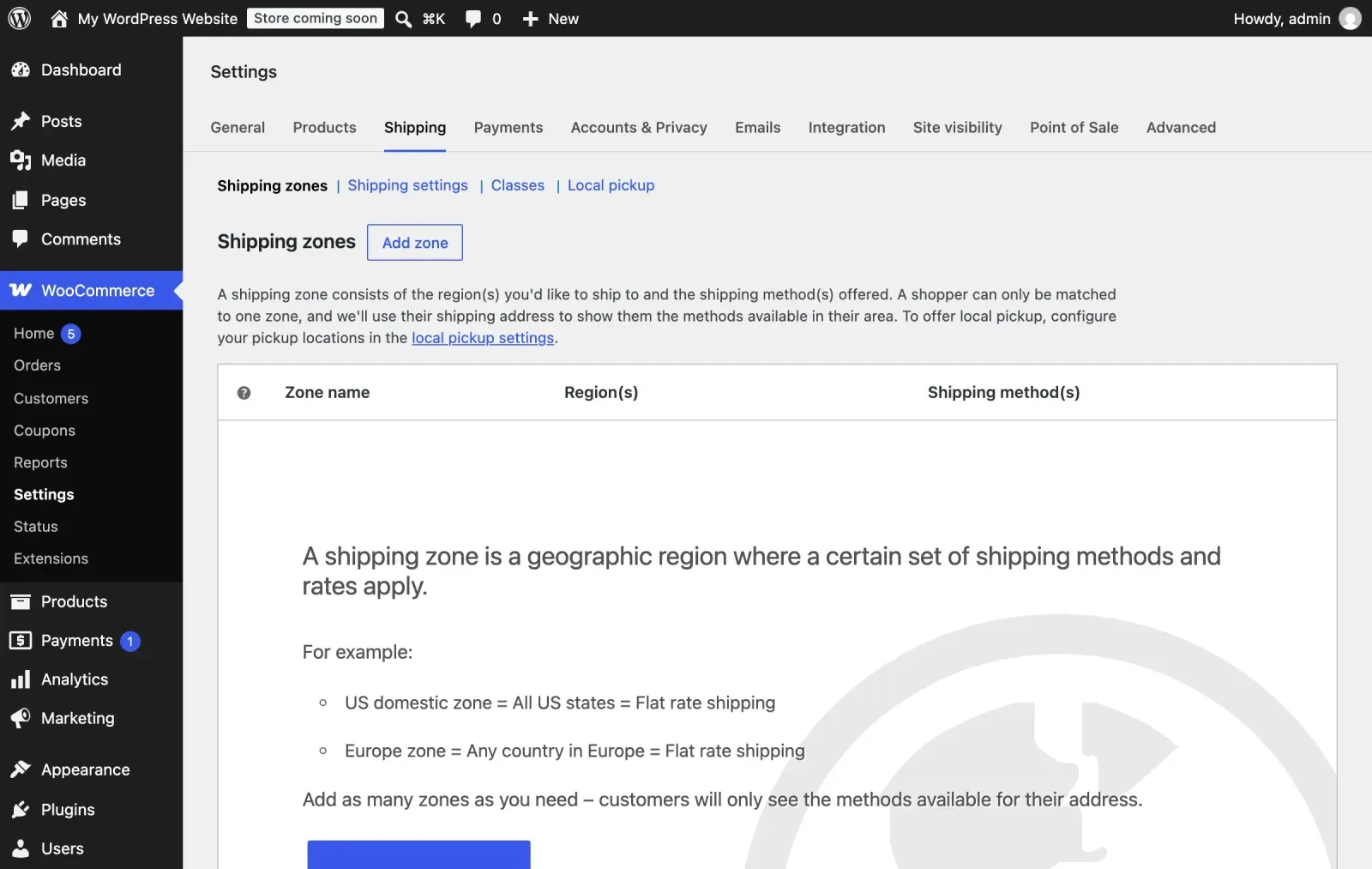
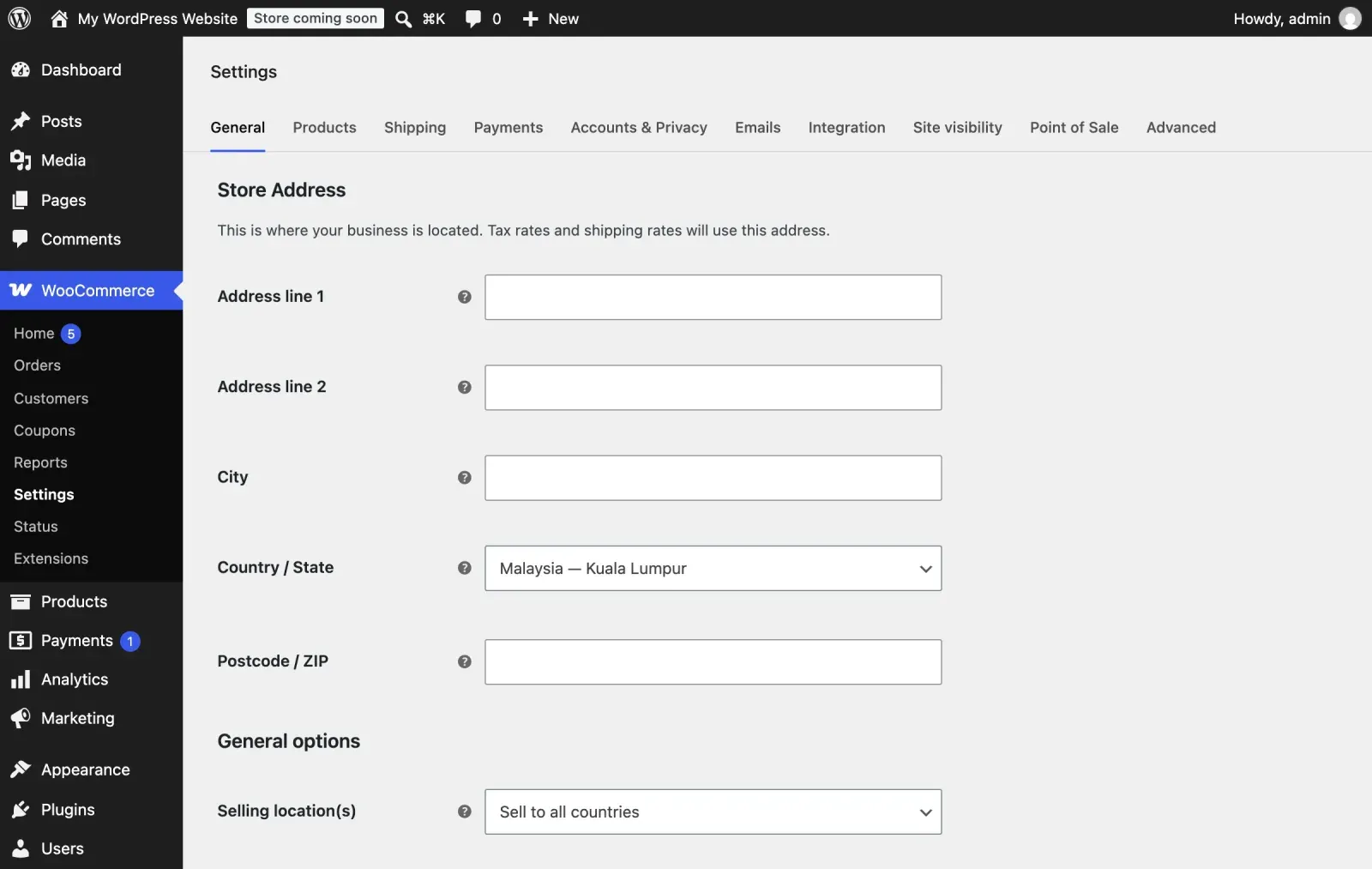
A new store starts with no zones at all, which is the screen below. The selling and shipping locations on the General tab decide whether an address outside Malaysia can check out, so set them before you add a single rate.
A simple Malaysian setup needs only three zones.
| Zone | Regions | Methods |
|---|---|---|
| Sabah and Sarawak | Sabah, Sarawak, Labuan | Flat or courier rate |
| West Malaysia | Peninsula, KL, Putrajaya | Flat rate, free, local pickup |
| Catch-all | Anything not matched | None, so no checkout |
Setting up shipping zones in WooCommerce
Open WooCommerce, then Settings, then Shipping. Add one zone for West Malaysia and one for Sabah and Sarawak, and pick the states or postcodes that belong to each. A zone is matched from the top down, so put the narrower zone first and leave a final catch-all zone empty or with no methods, so an address you did not plan for cannot check out with a wrong rate.
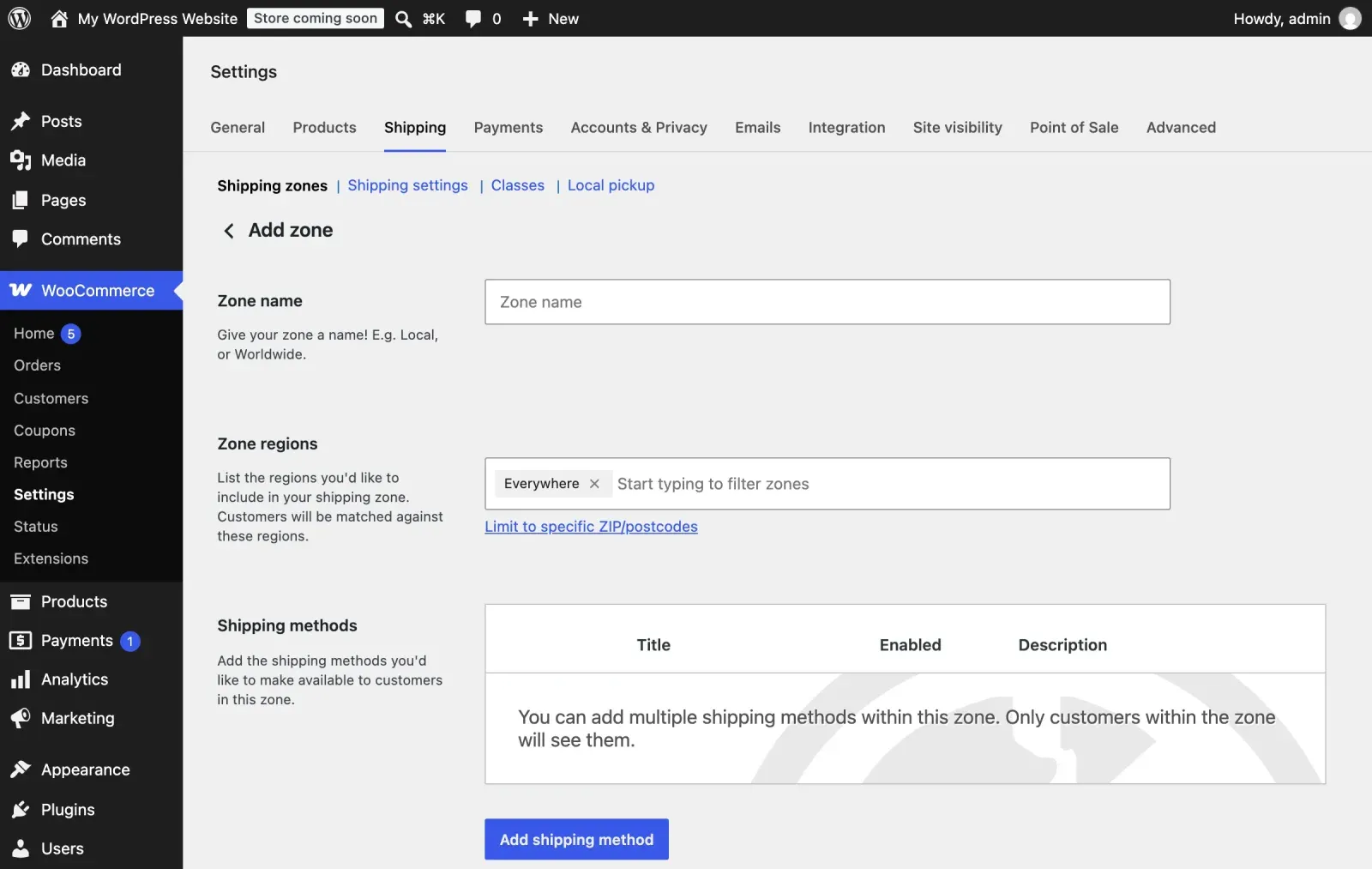
Inside each zone choose the method: flat rate, free shipping above a minimum order, or local pickup. WooCommerce’s own flat rate charges per order, per item or per shipping class, not by weight. Weight-based rates come from a table rate or courier plugin, and they only work if every product has a weight. A product with no weight is charged as if it weighs nothing, and that is how stores end up paying the courier more than they charged.
Before launch, place test orders to a Johor address, a Kota Kinabalu address and a Kuching address and read the rate at checkout against your courier’s rate card. If the numbers do not match, the zone is wrong.
| Address | Should match | Compare with |
|---|---|---|
| Johor | West Malaysia | Peninsular rate card |
| Kota Kinabalu | Sabah and Sarawak | Sabah rate card |
| Kuching | Sabah and Sarawak | Sarawak rate card |
Tax and legal
- SST status confirmed with your accountant and tax rules set in the store.
- Business name, SSM number and contact details in the footer and on the contact page.
- Terms and conditions, refund and return policy, shipping policy and privacy policy published and linked from the footer and the checkout. The privacy policy must reflect the Personal Data Protection Act requirements for the data you collect.
- Age or licensing rules if you sell restricted products.
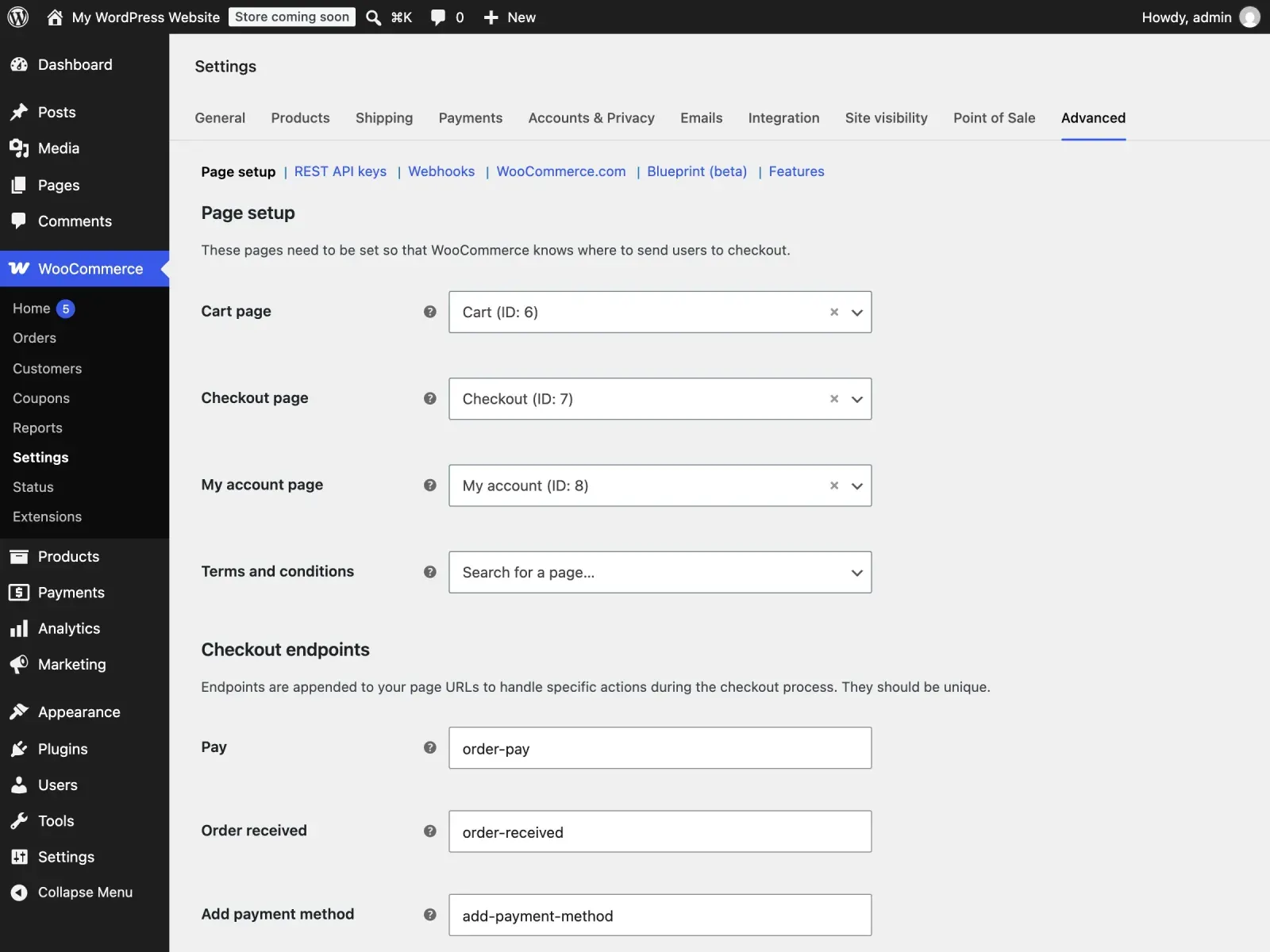
WooCommerce only knows about your legal pages once you point it at them. The terms page is chosen on the Advanced tab, and a fresh install leaves it empty, as you can see here.
What the legal pages should actually say
The refund and return page should answer five questions: what can be returned, within how many days, in what condition, who pays the return shipping, and how the money comes back. The shipping policy should state dispatch cut-off times and typical delivery windows for West and East Malaysia. The privacy notice should say what personal data you collect (name, phone, address, email), why, who receives it (the courier and the payment gateway at minimum), and how a customer can ask to see or correct it. WooCommerce lets you set the terms and privacy pages under Settings, then Advanced, and show a consent line at checkout.
| Page | Must state | Link it from |
|---|---|---|
| Refund and return | The five questions above | Footer and checkout |
| Shipping policy | Cut-off and delivery times | Footer, product pages |
| Privacy notice | Data, purpose, recipients | Checkout consent line |
| Terms and conditions | Seller, orders, payment | Checkout checkbox |
| Footer | Name, SSM number, contact | Every page |
If your accountant says you must charge SST, set it up under the Tax tab with the right rate and decide whether prices on the site show with or without tax. If you are not sure, ask before launch, not after the first month of orders.
Products
- Every product has a clear title, a description in the customer’s language, the price including any tax display rule, stock quantity, weight and dimensions for shipping, and at least two photos sized and compressed for the web.
- Variations (size, colour) work and each has stock.
- Categories make sense to a customer, not just to your warehouse.
- A WhatsApp enquiry button on every product for the customers who want to ask first.
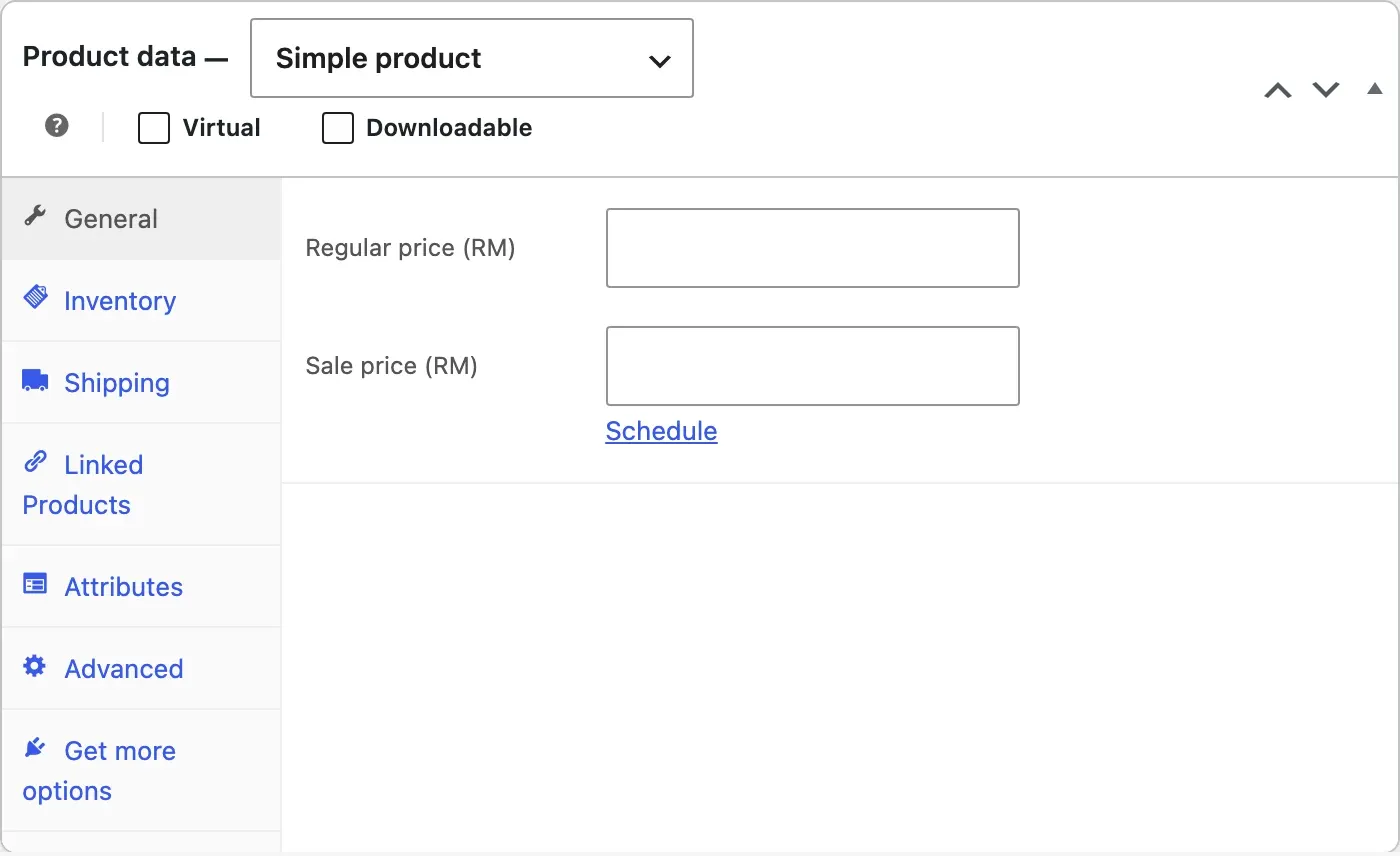
The product data box is where most of these fields live. The price sits on the General tab, already in ringgit once the currency is set.
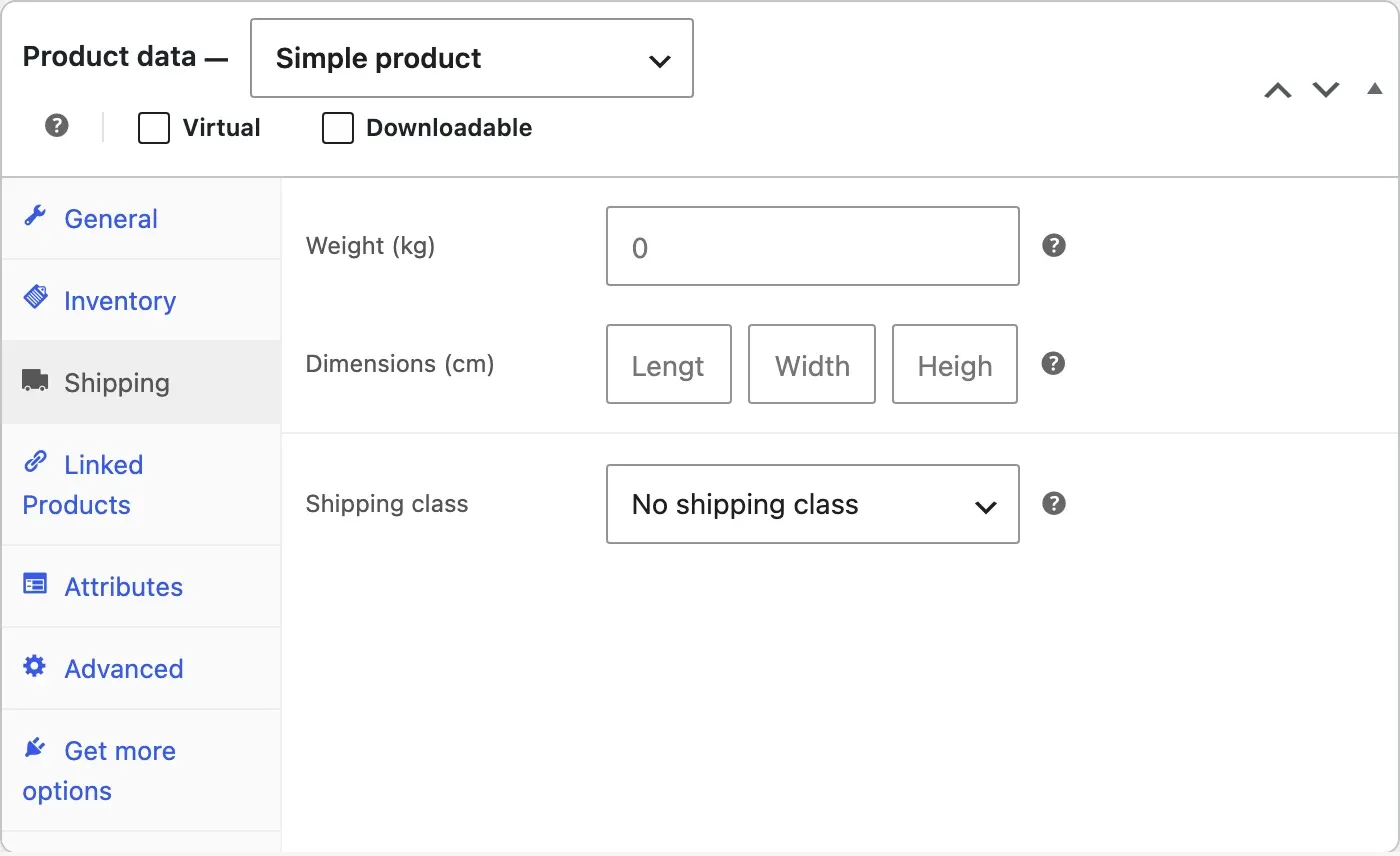
The Shipping tab is the one people skip. Note the zero in the weight field: that is what a courier plugin will charge for if you leave it.
| Field | Where | Why it matters |
|---|---|---|
| Title and description | Product editor | Answers before WhatsApp |
| Regular price | Product data, General | Follows tax display rule |
| Stock quantity | Product data, Inventory | Stops overselling |
| Weight and dimensions | Product data, Shipping | Courier rates need them |
| Two or more photos | Image and gallery | Compressed for phones |
| Variations | Variations tab | Stock per size or colour |
Checkout and accounts
- Guest checkout enabled. Forcing account creation is the fastest way to lose a first order.
- Checkout fields reduced to what you need to deliver; Malaysian address format, postcode validation, phone number required for the courier.
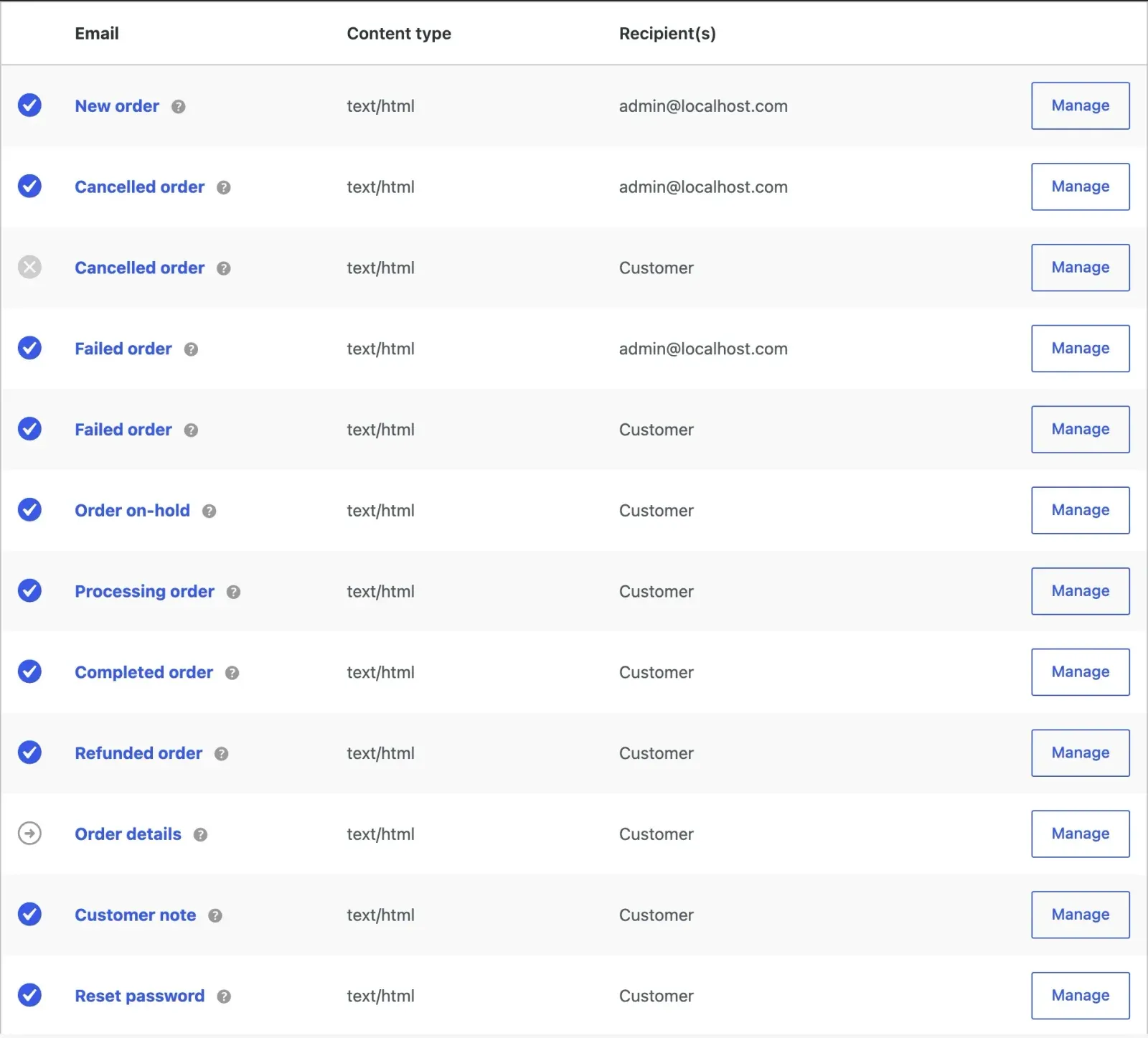
- Order confirmation, processing and completed emails tested, in the right language, with your logo and the WhatsApp number for questions.
- Abandoned-cart follow-up decided: an email, a WhatsApp message, or nothing yet.
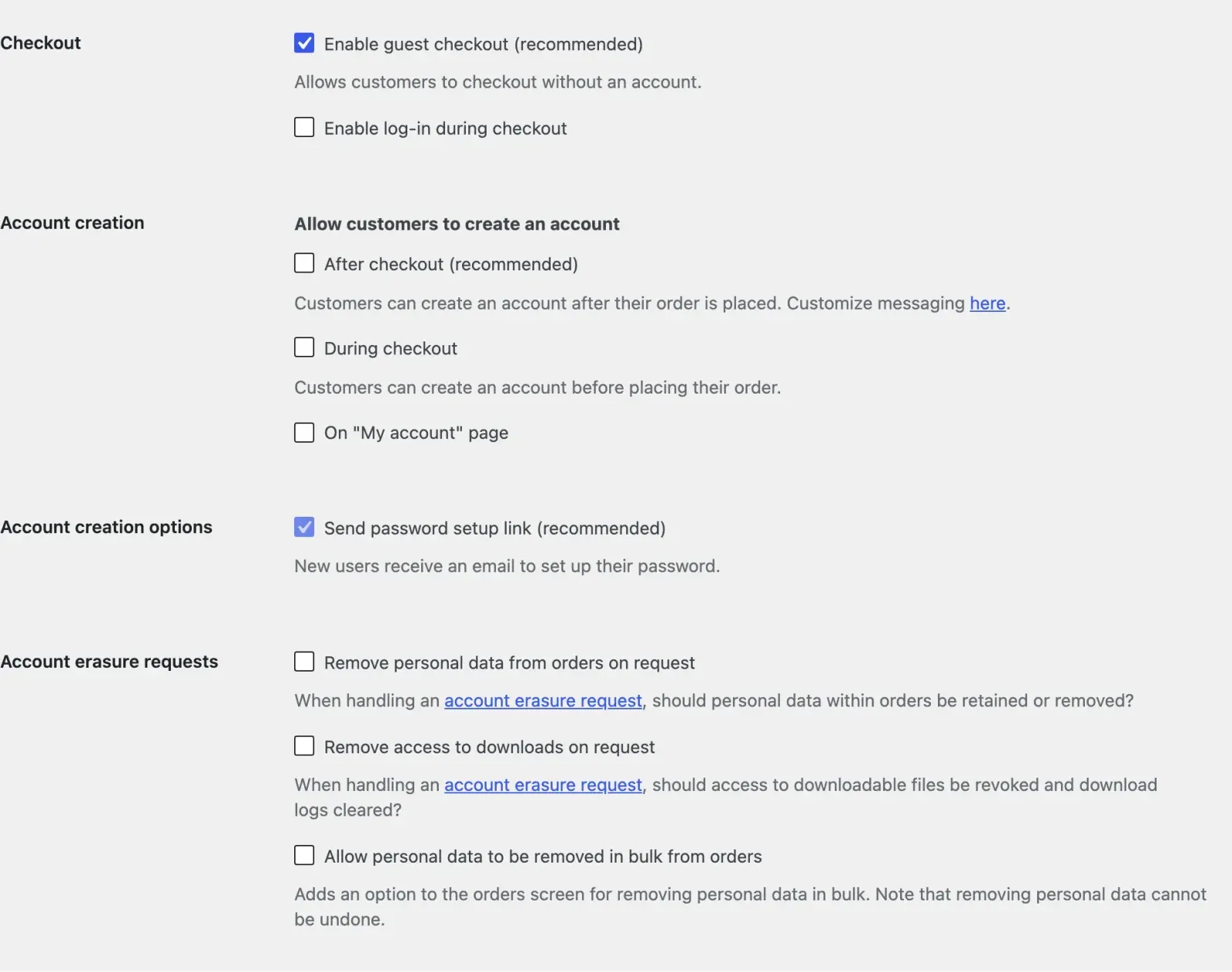
Guest checkout is a single box on the Accounts and Privacy tab. On a new install it is ticked; check that nobody unticked it during the build.
The emails tab lists every message the store sends. Open each customer email you rely on and send yourself a test order to see it with your logo and wording.
Check the checkout on a phone with your thumb, not your mouse. Can you tap every field without zooming? Every extra field costs you orders, so remove company name and any “how did you hear about us” box unless you truly use the answer.
| Checkout field | Keep or remove, and why |
|---|---|
| Name, address and postcode | Keep: the courier needs them |
| Phone number | Keep and require: the courier calls |
| Keep: order emails and receipts | |
| Company name | Remove: few retail buyers need it |
| How did you hear about us | Remove, unless you act on it |
Speed, mobile and search
- Product and category pages load in under three seconds on a phone on mobile data. Most Malaysian shoppers buy on a phone.
- Images converted and compressed; the store does not ship four-megabyte photos.
- Page titles and descriptions written for products and categories; structured data for products in place so prices and stock show in Google.
- Sitemap submitted in Google Search Console; the staging store removed from the index if it was ever crawled.
Test a product page and the checkout in PageSpeed Insights, not only the home page. If you want help with the search side after launch, the SEO services page explains what I do for stores.
| What to check | Where | Passes when |
|---|---|---|
| Product page on a phone | PageSpeed Insights, mobile | Loads in under three seconds |
| Checkout page | PageSpeed, then your phone | Fields tap without zooming |
| Image weight | PageSpeed Insights | No photo near four megabytes |
| Product structured data | Rich Results Test | Price and stock detected |
| Sitemap | Search Console, Sitemaps | Read without errors |
| Staging copy | A site: search for it | Nothing shows up |
Tracking
- Google Analytics 4 with ecommerce events: view item, add to cart, begin checkout, purchase. Test a purchase and confirm it appears.
- WhatsApp taps and phone calls tracked as events with the page they came from.
- Meta pixel or TikTok pixel if you will advertise there, tested the same way.
- Search Console connected and the Business Profile linking to the store.
Use the GA4 DebugView or the tag assistant while you place the test order, and check that the purchase event fires once, with the right total and currency. A purchase event that fires twice, or fires again when the customer refreshes the thank-you page, makes every report afterwards wrong.
Security and backups
- SSL on every page, including the checkout.
- Daily off-site backups running before the first order, because losing orders is worse than losing pages.
- Updates policy decided: who updates WooCommerce and the payment plugin, and where they test first. An untested update on a live store is how a checkout silently breaks for a week.
- Admin accounts limited to people who need them, with two-factor authentication.
A restore you have never tried is a hope, not a backup. Restore the backup to a test location once, before launch, and confirm the orders and products come back. If you do not want to own this job, a website maintenance plan covers updates, backups and monitoring.
| Job | Decide before launch |
|---|---|
| SSL | Renews itself; checkout shows the padlock |
| Backups | Daily, off-site, restored once as a test |
| Updates | A named person, tested before live |
| Admin accounts | Few people, all with two-factor |
Operations
- Who receives the order notification, who packs, who prints the label, and the cut-off time for same-day dispatch.
- Stock sync plan if you also sell in a physical shop or on a marketplace.
- Reply window for WhatsApp enquiries published on the site.
- A returns process you can actually run.
Write the answers down as a single path from order to tracking number, with a name against every step.
Common launch mistakes and how to fix them
These are the problems I see most often on stores that skipped a step above.
- Test mode left on. The gateway still runs in sandbox, so customers “pay” and nothing arrives. Check the gateway setting on launch day and again after the first real order.
- Emails going to spam. Order emails sent from the web server land in junk folders. Send them through a proper mail service and authenticate your domain.
- Cache serving the cart. A caching rule that stores the cart or checkout page shows one customer another’s basket. Exclude cart, checkout and account pages from the cache.
- Missing weights. Products without weight ship at the wrong price. Filter the product list by empty weight and fill the gaps.
The same mistakes, side by side with the symptom you will notice first:
| Mistake | What you notice | Fix |
|---|---|---|
| Test mode left on | Orders but no money | Switch the gateway to live |
| Emails going to spam | Did my order go through? | Mail service, signed domain |
| Cache serving the cart | Strangers’ items in a cart | Exclude cart and checkout |
| Missing weights | Courier costs more than charged | Fill every product’s weight |
| Callback blocked | Paid orders stay pending | Allow the callback URL |
| Purchase event twice | GA4 revenue above the bank | Fire once per order |
The first week after launch
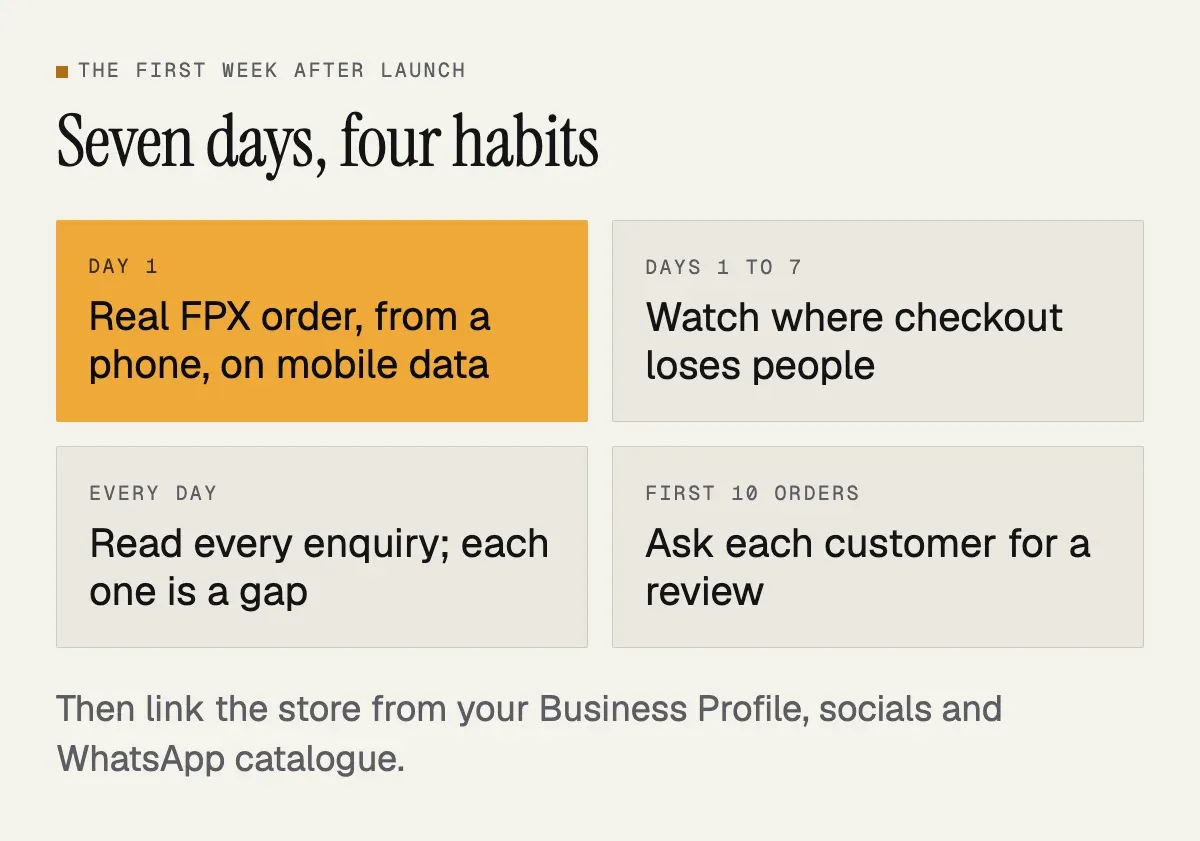
Place a real order yourself on day one, from a phone, on mobile data, paying with FPX, and time how long it takes from landing on the home page to the confirmation screen. Then watch the analytics for drop-offs at checkout. Read every enquiry; the questions customers ask in week one are the gaps in your product pages. Ask the first ten customers for a review. Add the store link to your Business Profile, social profiles and WhatsApp Business catalogue.
What to measure after launch
Look at a few numbers on the same day every week.
- Sessions by source, so you know whether orders come from Google, social media, ads or direct visits.
- The step-by-step drop-off from product view to cart to checkout to purchase. The biggest drop is where to work first.
- Conversion rate and average order value, read together. A higher conversion rate on cheaper orders may not be an improvement.
- WhatsApp taps per product page. A product with many taps and few orders usually has a missing answer in its description, such as size, delivery time or material.
- Failed or abandoned payments at the gateway, which often point to a technical fault rather than a hesitant customer.
| Number | Where | What it tells you |
|---|---|---|
| Sessions by source | GA4, Acquisition reports | Which channel sells |
| Drop-off by step | GA4, Funnel exploration | Where to work first |
| Conversion and order value | GA4 or WooCommerce Analytics | Real growth or not |
| WhatsApp taps per product | GA4 events by page | A missing answer |
| Failed payments | Gateway and Orders, Failed | A technical fault |
Change one thing at a time and write it down, otherwise you will not know what worked. My past projects page shows the kind of sites I have built.
Next step
If you are about to launch a store and want someone to run this list with you, or you want the store built with the list already ticked, the ecommerce website design page explains what a WooCommerce build from me includes and the pricing page has the figures. Or send the store address on WhatsApp and I will go through it.